Dial in the video delay
One slider, live to ten seconds. A countdown ring fills while your delay buffers, then every rep replays itself — hands-free. Works for baseball, golf, dance, gymnastics, and lifting; anything with a rep.
SportMirror is a video delay app that turns your iPhone into a delayed mirror for training. Set a delay, take your swing, and look up — your last rep is already playing. No tripod runs, no tapping record, no scrubbing a timeline.

Free for 3 days, then $4.99 to unlock. No subscription.
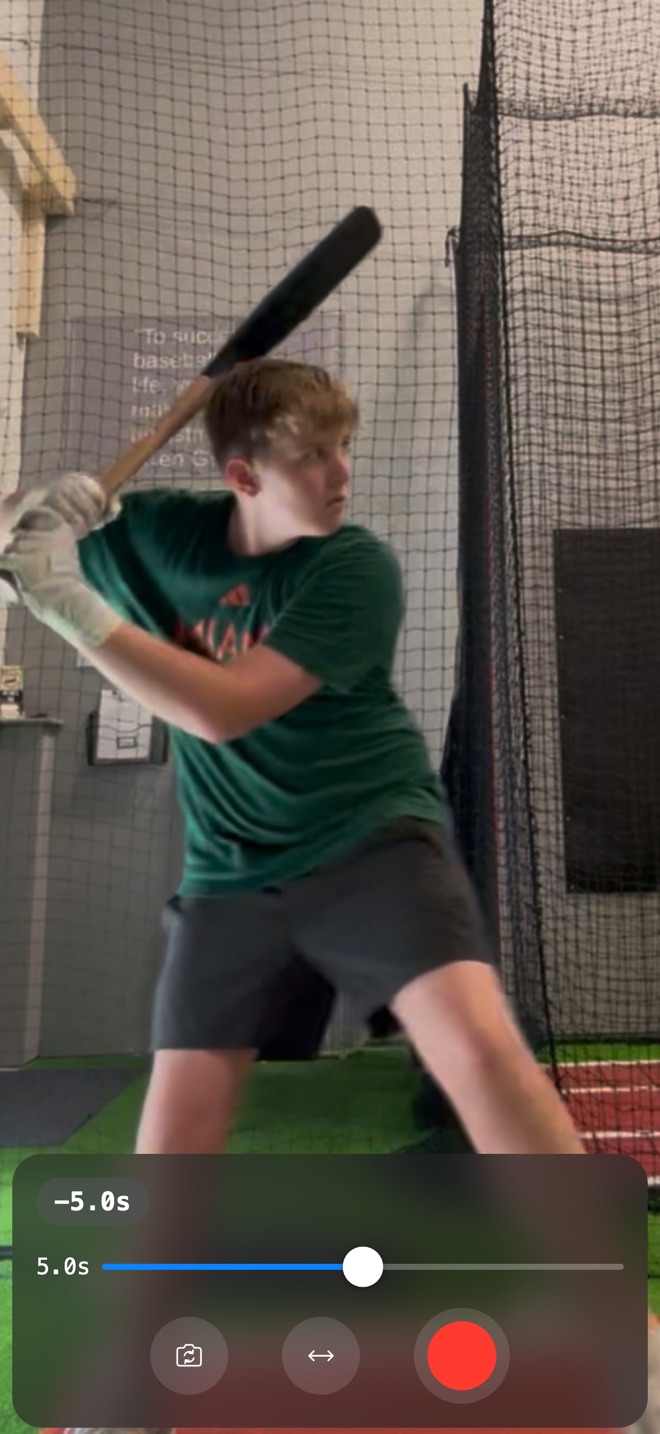
One slider, live to ten seconds. A countdown ring fills while your delay buffers, then every rep replays itself — hands-free. Works for baseball, golf, dance, gymnastics, and lifting; anything with a rep.
Pinch to zoom, mirror the image, flip between cameras. Tap once to hide the controls for a clean, full-screen mirror.
Hit record and keep training. Your video saves straight to your Photos library — zoomed and mirrored exactly as you framed it.
Everything happens on your device. No account, no uploads, no analytics, no ads. Video exists only in memory unless you record.
Submitted to the App Store and on the way — a free update for everyone who owns SportMirror.
Flip on AUTO and SportMirror recognizes your swing and saves a clip on its own, starting just before you move. Take rep after rep — the phone does the bookkeeping.
Freeze the action and scrub back through the last 25 seconds. Replay at half or quarter speed in smooth 1080p60, and save any moment as a clip.
Clips stack up in a built-in library — loop them, jump straight to the action, step through in slow motion. Save the keepers to Photos, and clear the rest in one tap.